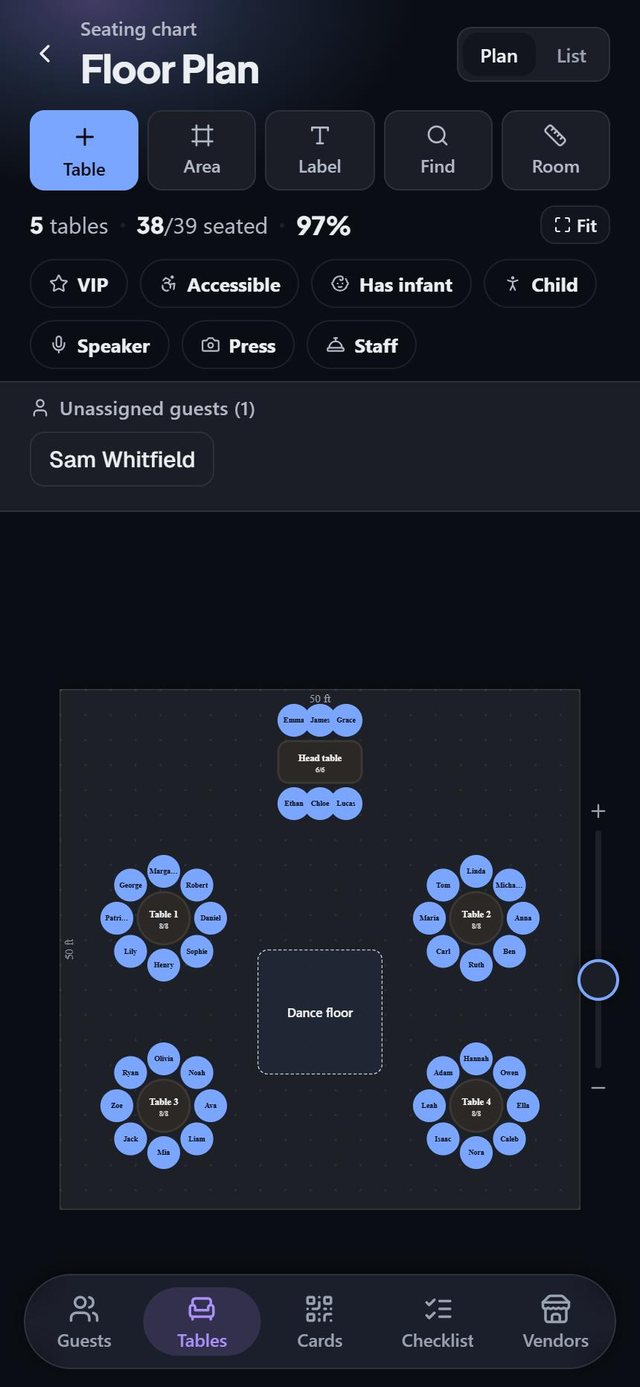
A floor plan drawn to scale
Set the size of the room and place tables where they really go. What you see is what the venue holds.

SeatSpot is a seating chart maker for weddings and events. Draw the room, seat your guests and print the cards, all from your phone. No account, no spreadsheet.
Launching soon in the US. Scroll to see how it works.
Start from a template (banquet with a head table, long tables, cocktail or conference), then drag guests onto chairs. The plan is drawn to scale, in feet or metres.
"Anna & Tom Kowalski", "John Smith +1" and "The Garcia family (4)" are all understood, and shown to you before anything is added.
Place cards, escort cards, a welcome board and table signs in one matching style, plus a caterer sheet with meals and allergies table by table.
Every feature below comes with a real screen from the app, in order from the ones you will use most to the smallest details. Try it first with the ready-made sample event: forty guests, five tables, meals and a checklist.
Set the size of the room and place tables where they really go. What you see is what the venue holds.
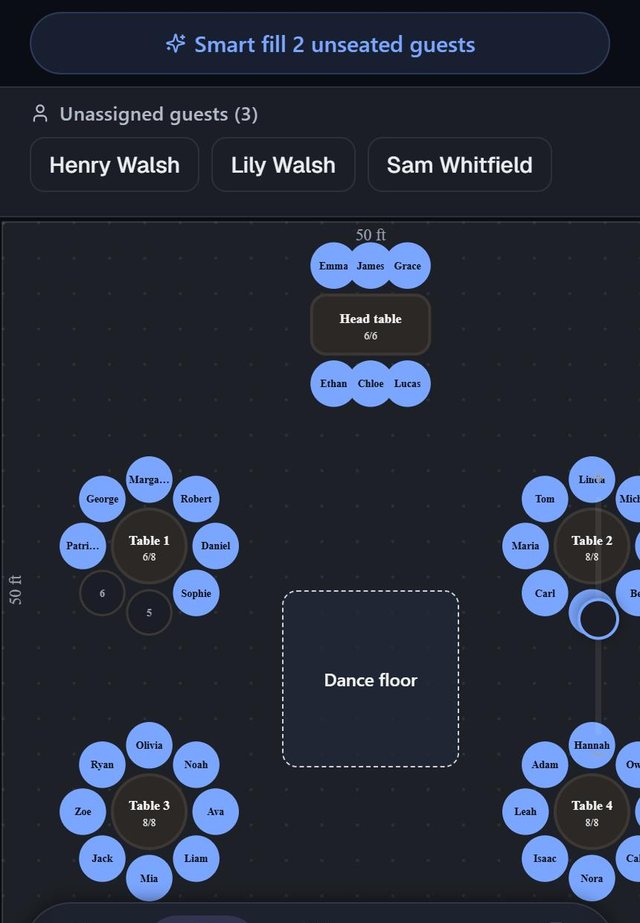
Unassigned guests wait above the plan. Pick a name, drop it on a chair, and see who sits next to whom.
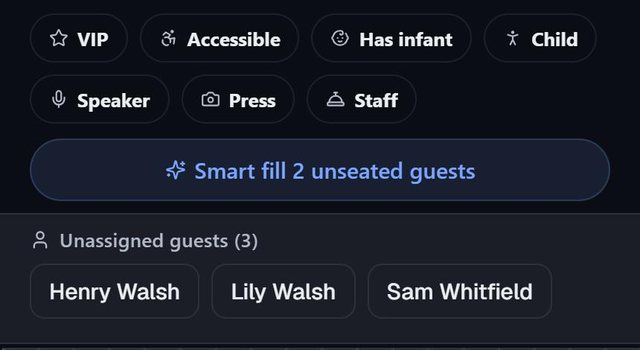
One tap seats every confirmed guest who still has no chair. It tells you what it had to give up, and one tap undoes it.
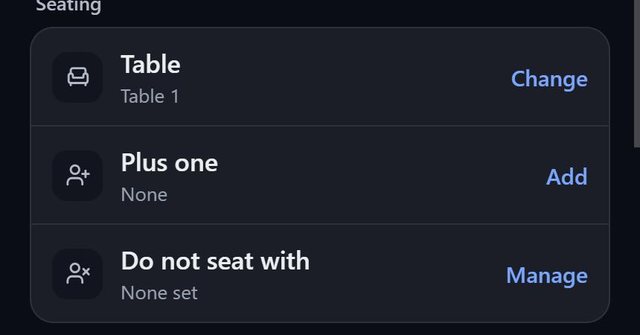
Mark the pairs who should be apart. The app flags them the moment they share a table.
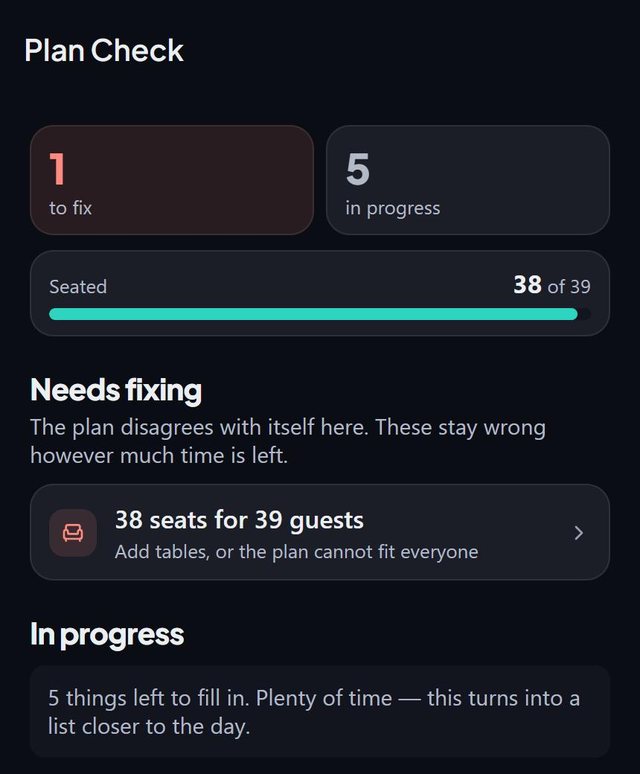
Separates what is wrong from what is simply not done yet, such as fewer seats than guests.
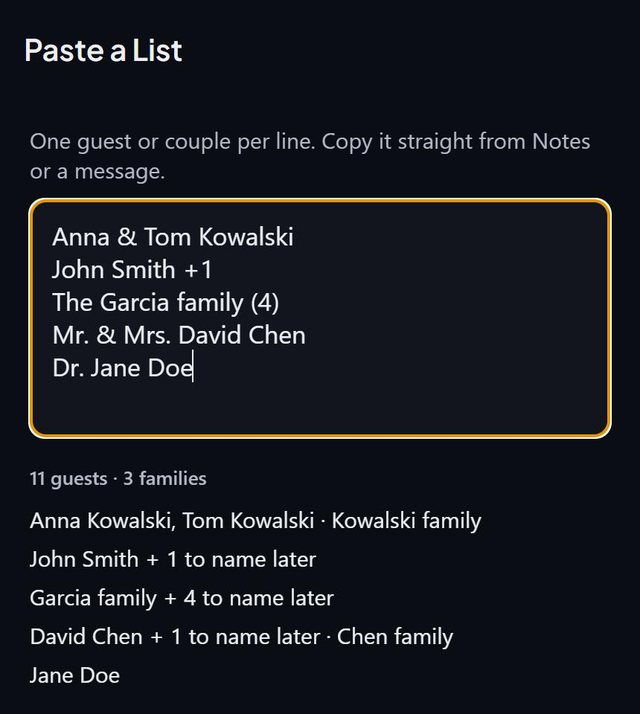
Couples, plus-ones and families are read the way people write them, and previewed before anything is added.
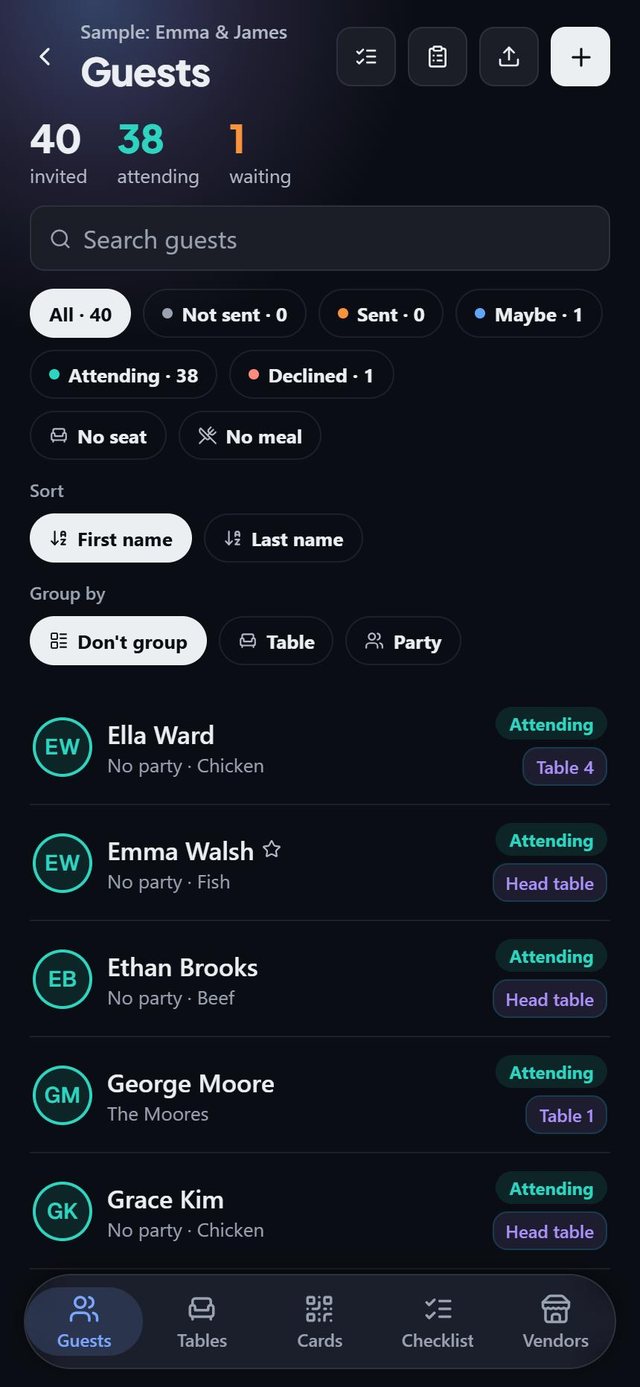
See who is attending, who is undecided and who still needs a seat. Filter, sort, and group by table or party.
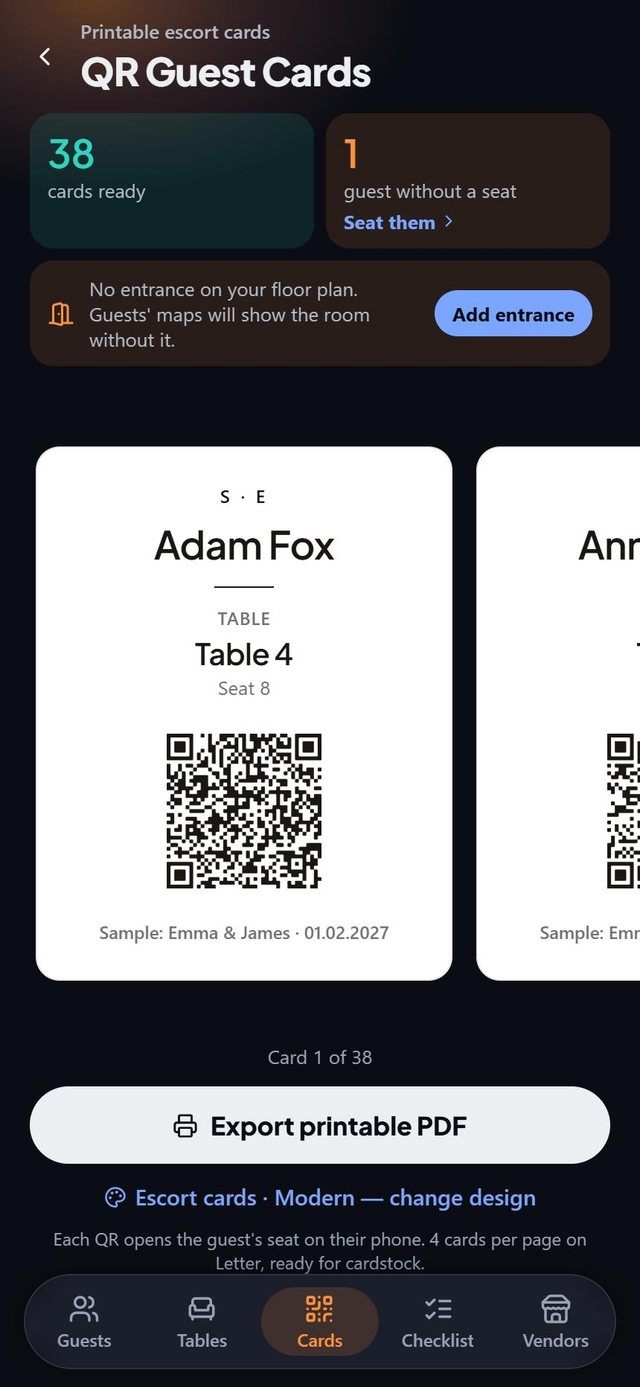
Name, table and seat on every card. The code opens the seat on the guest's phone, and the card works without it. Pro.
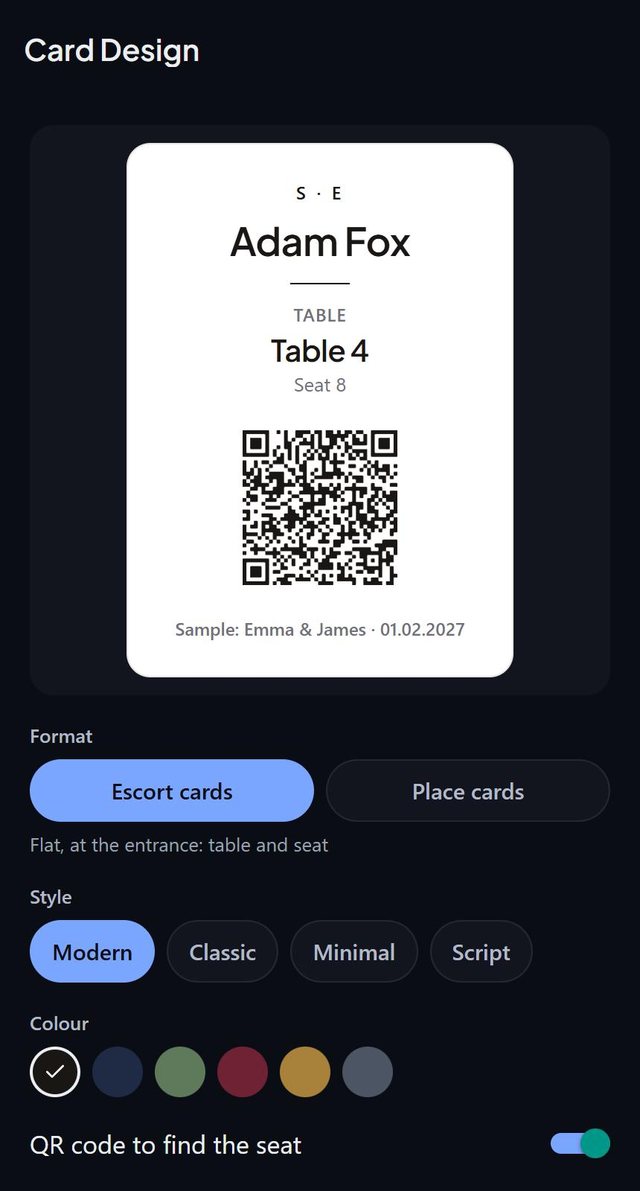
Escort cards or fold-over place cards in Modern, Classic, Minimal or Script. Change the look once and the whole set matches.
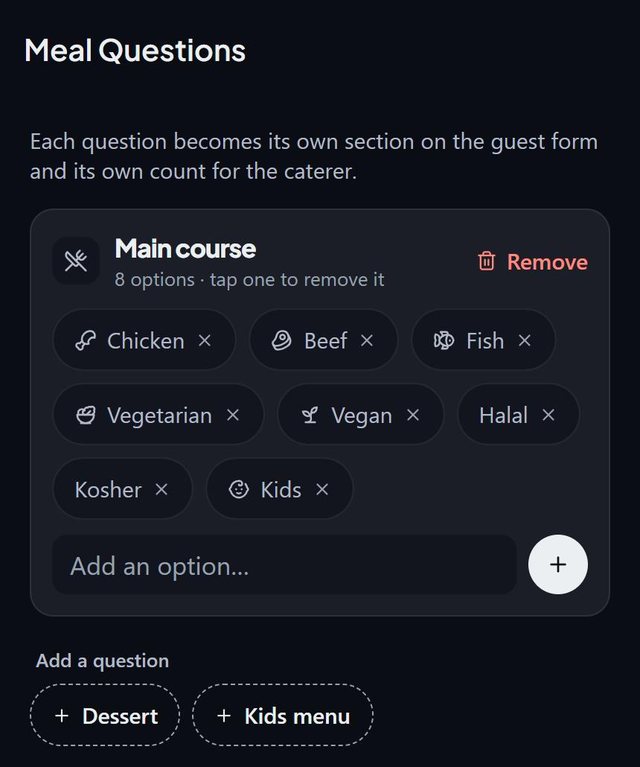
Create the options for your menu. Each question becomes its own section on the guest form and its own count.
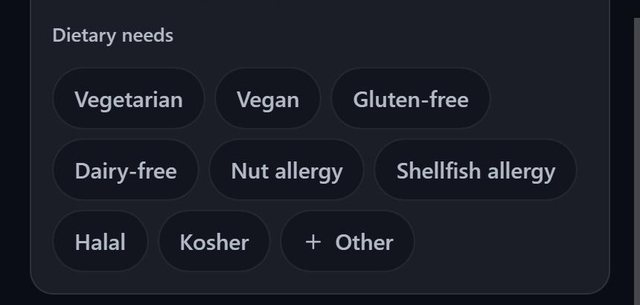
Vegetarian, vegan, gluten-free, dairy-free, nut and shellfish allergies, halal, kosher, or your own.
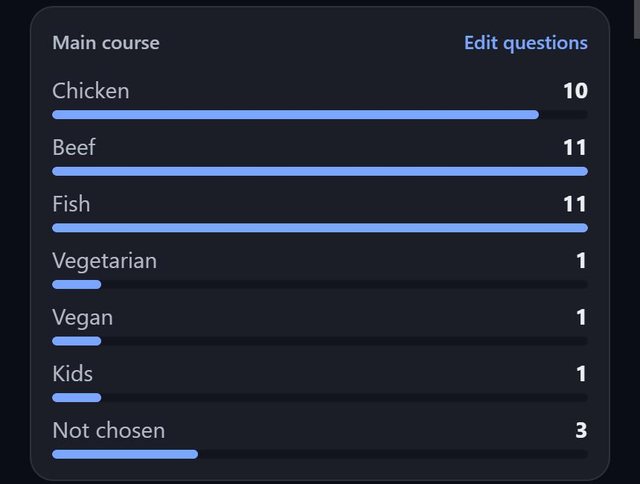
How many of each dish at a glance, including guests who have not chosen yet. The caterer sheet adds allergies table by table. Pro.
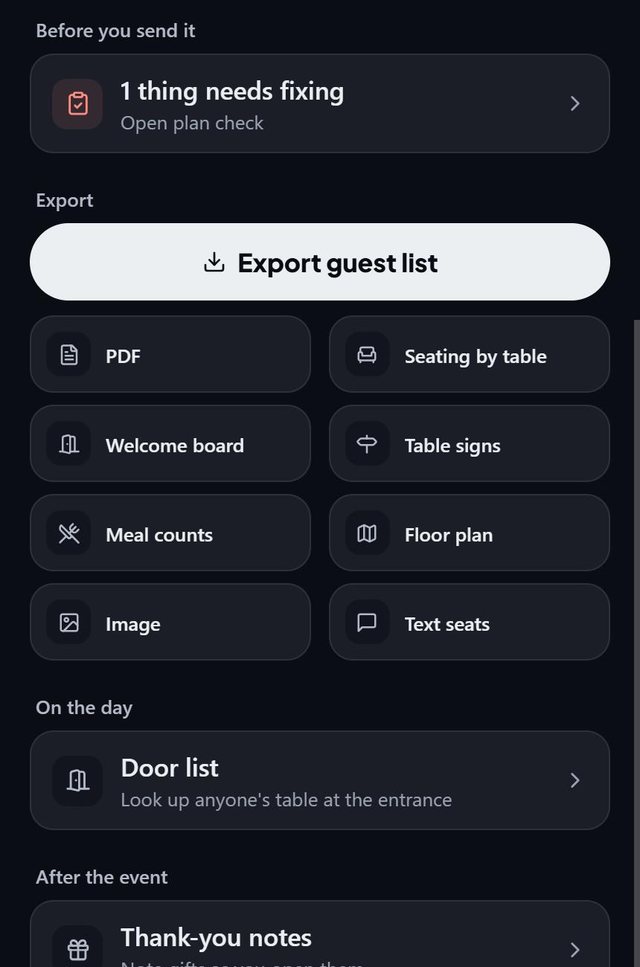
Guest list, seating by table, welcome board, table signs, meal counts and the floor plan as PDF or image. Pro.
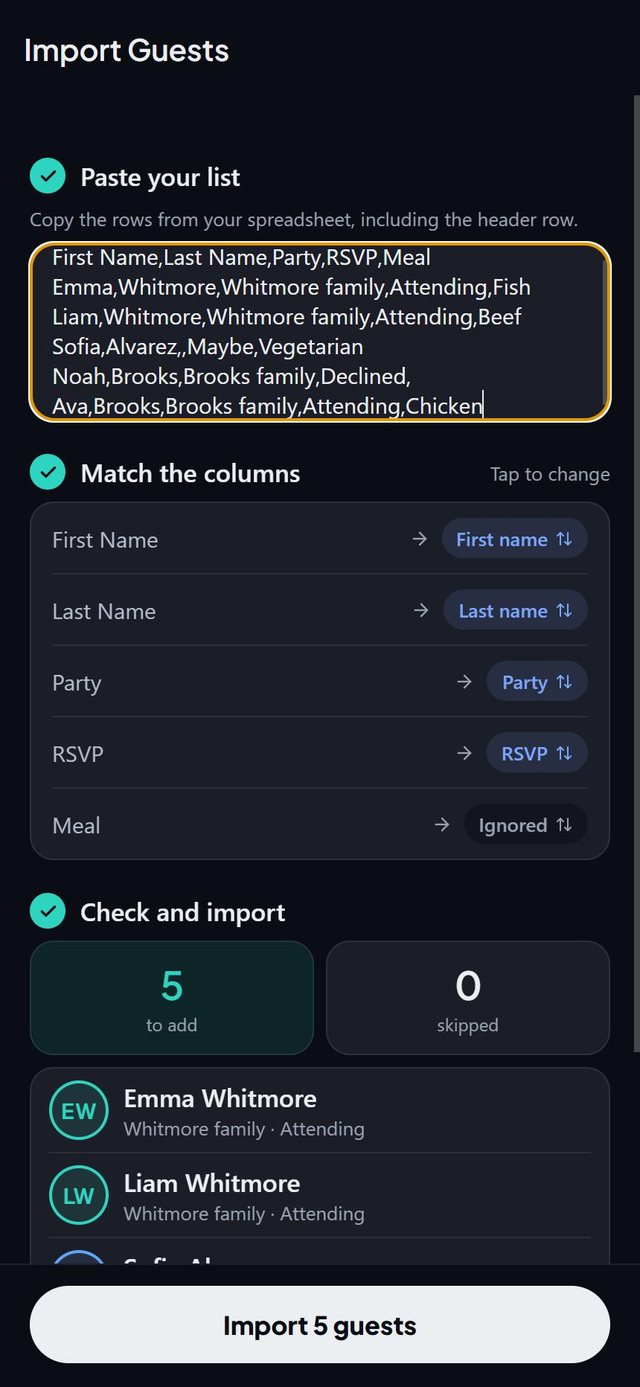
Paste rows from Google Sheets or Excel. Columns are matched for you and you check the preview before importing.
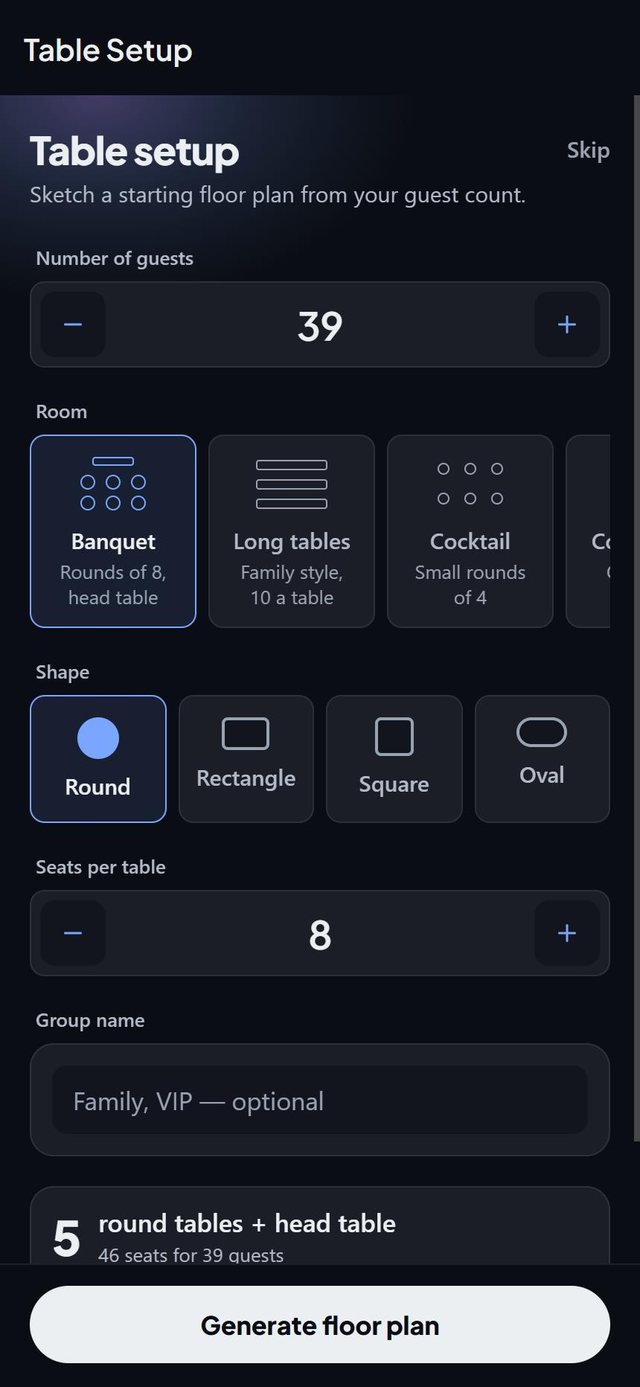
Banquet with a head table, long tables, cocktail or conference. The setup builds tables for your guest count.
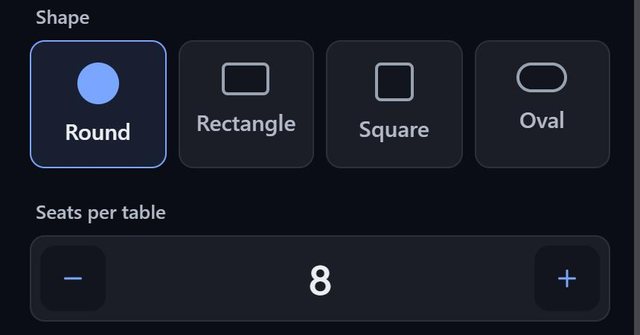
Pick a shape and the seats per table. U-shaped head tables and single chairs are there too.
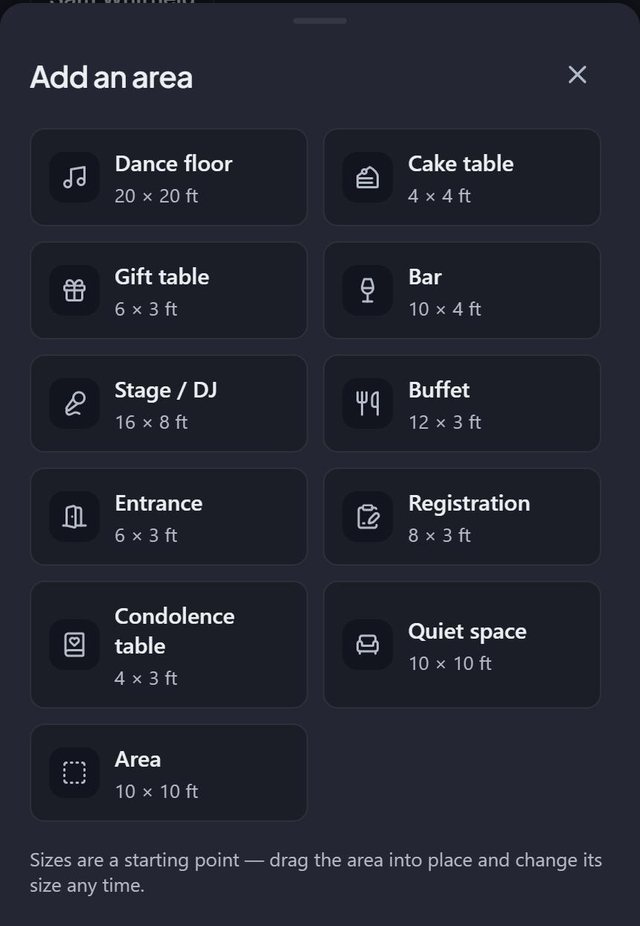
Drop areas on the plan. The ones your kind of event needs come first.
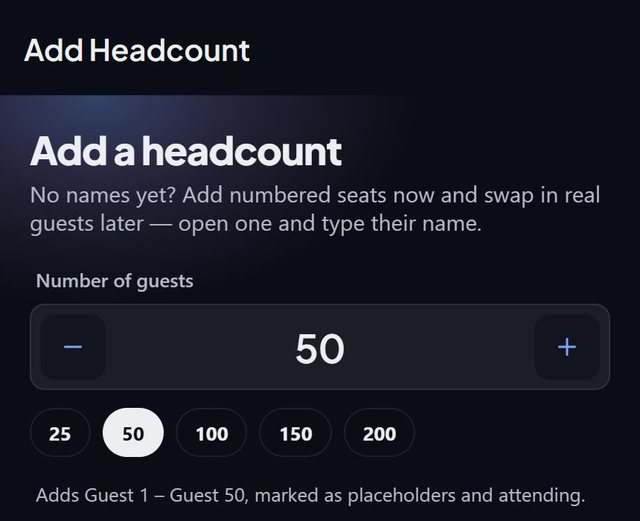
No names yet? Add numbered seats now and swap in real guests later.
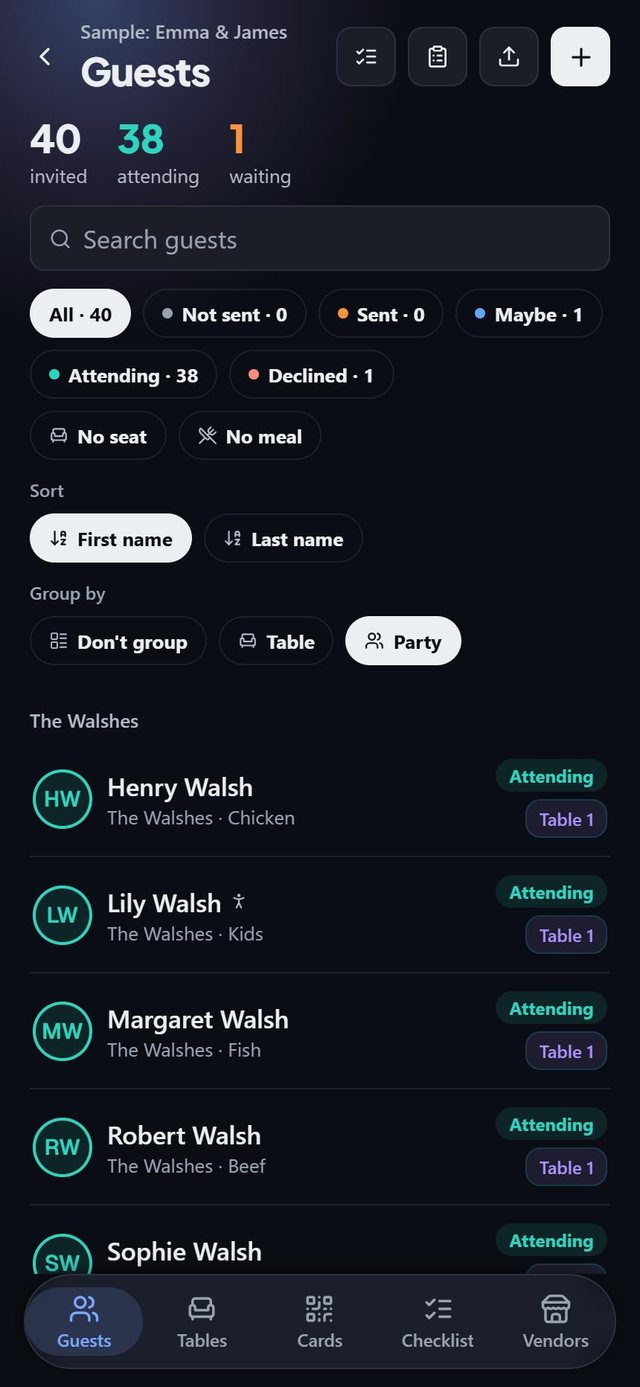
Group guests into parties and see the whole family at a glance.
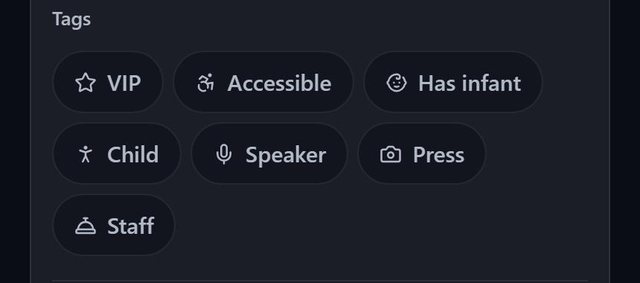
VIP, accessible, has infant, child, speaker, press and staff. Smart fill keeps accessible guests near the entrance and speakers near the stage.
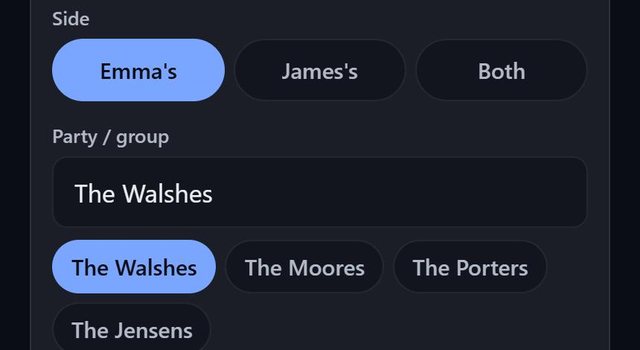
Mark guests as one partner's, the other's or both, and see the split on the guest report.
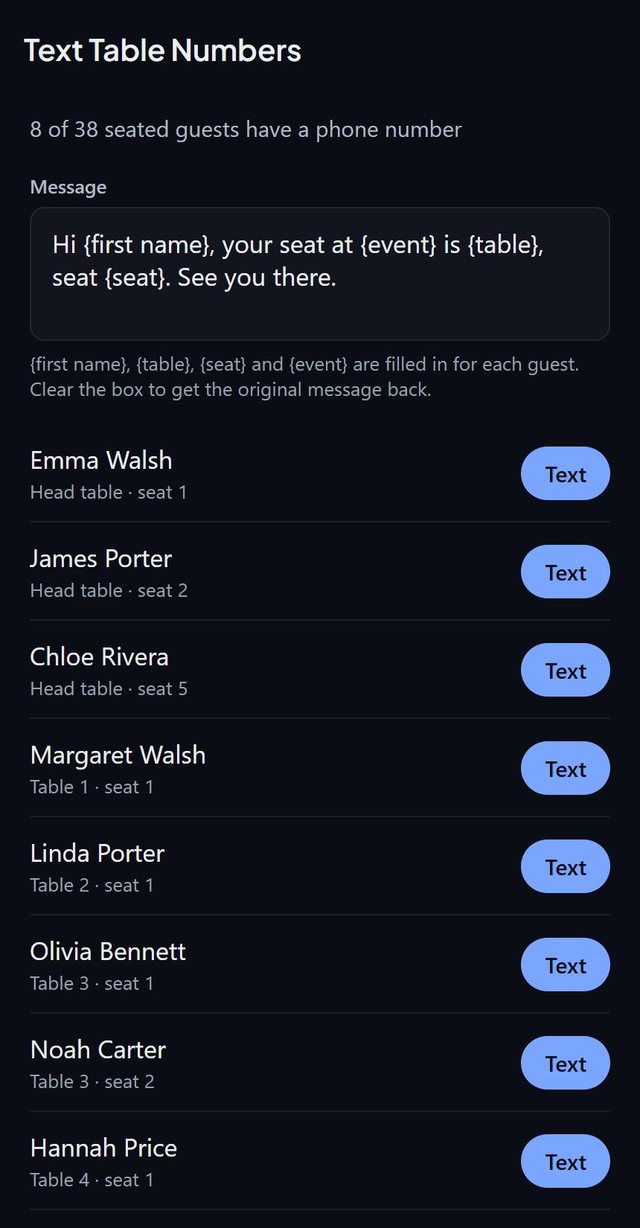
Opens Messages with the table and seat already filled in for each guest who has a phone number.
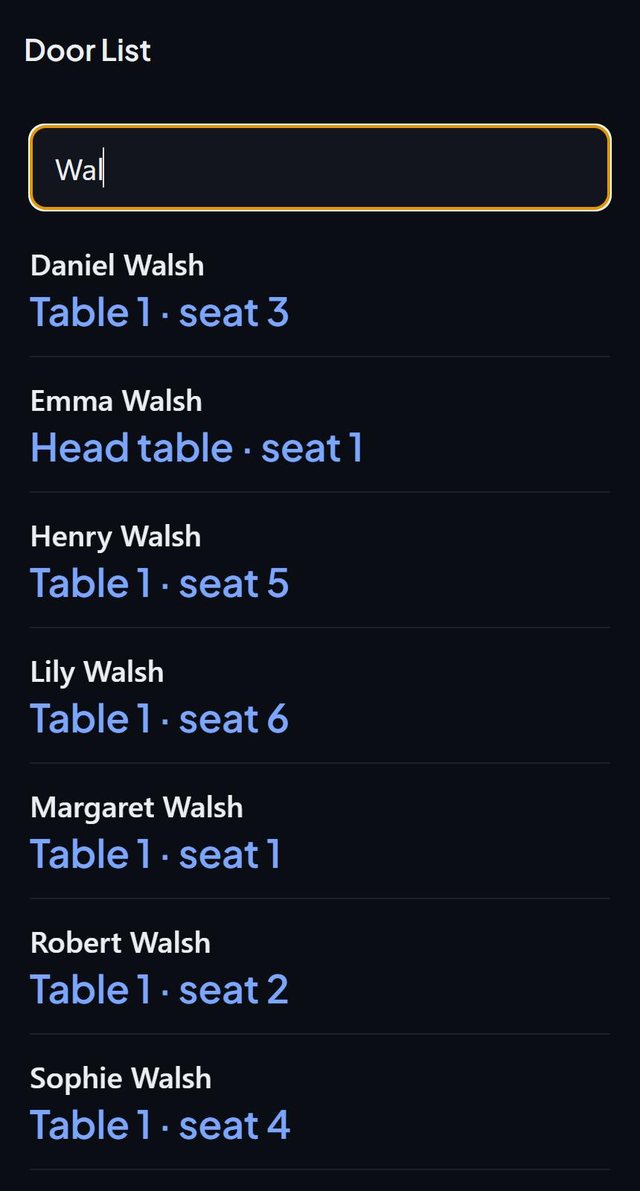
Type a first or last name and see the table and seat straight away.
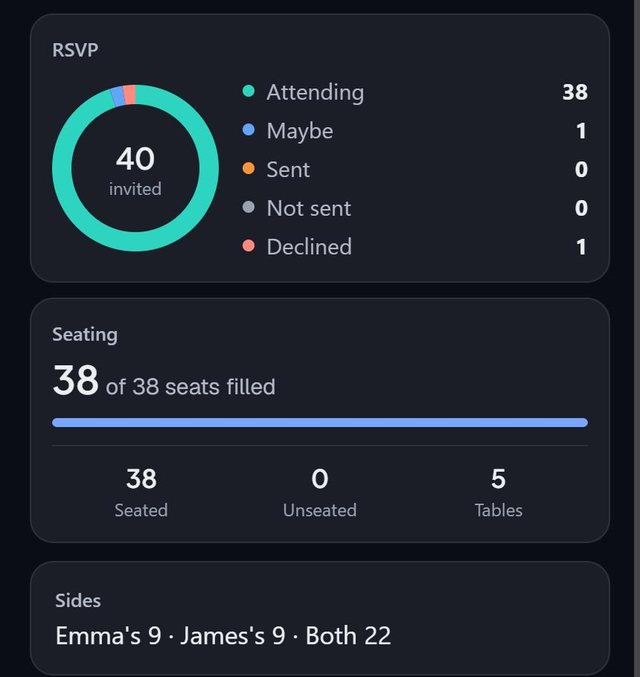
A ring for every invitation status, plus seats filled and unseated, in one report.
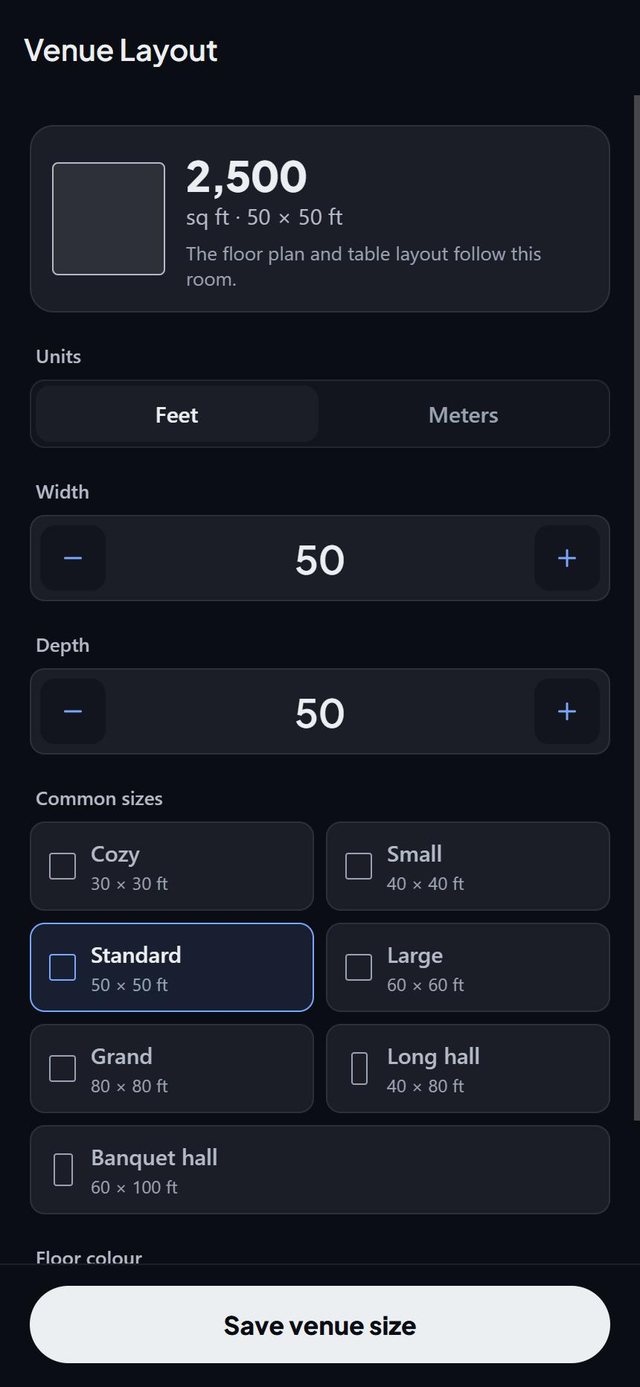
Set the size of the room, switch units, and pick a colour for the floor.
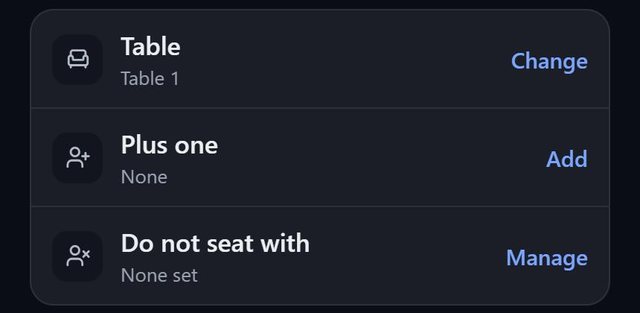
Add a +1 from any guest. Remove the host and the +1 goes with them.
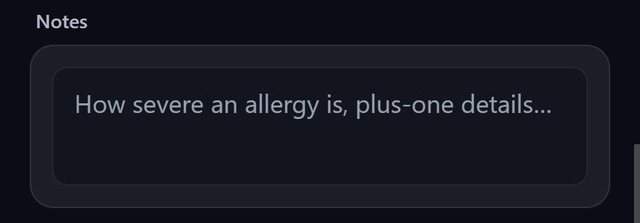
How severe an allergy is, plus-one details, anything worth remembering.
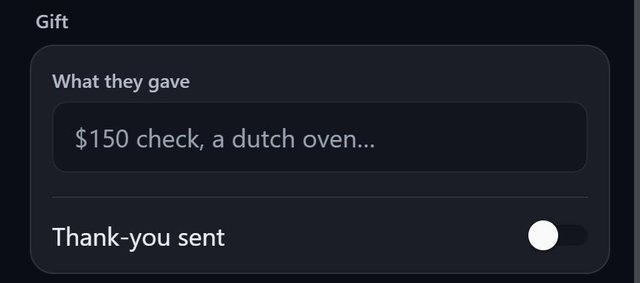
Record what each guest gave and tick off the thank-you.
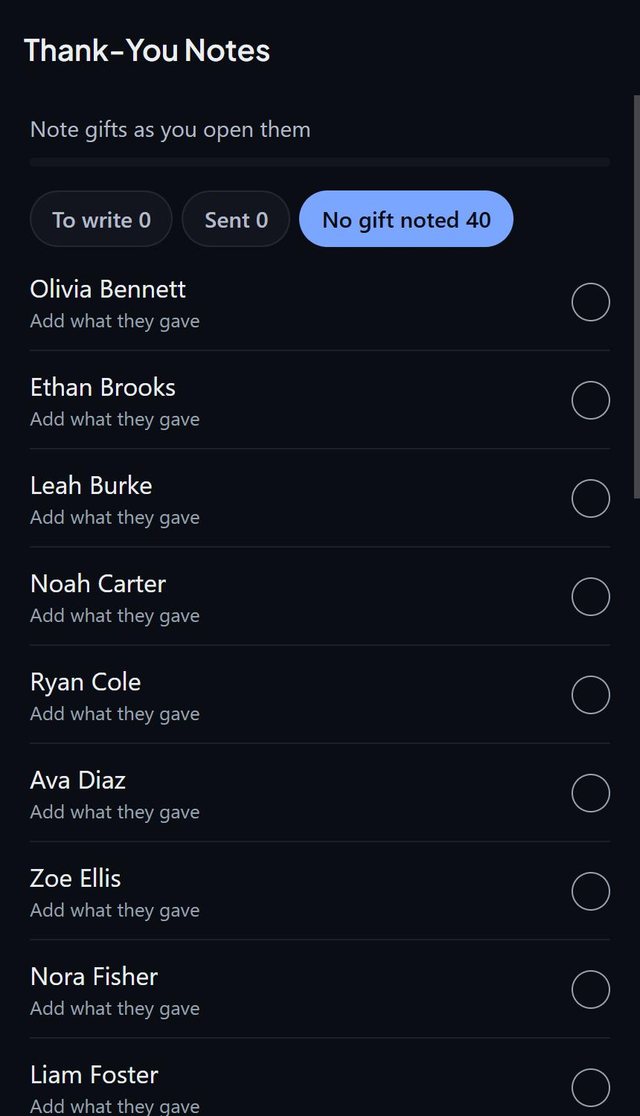
Filter by to write, sent, or no gift noted.
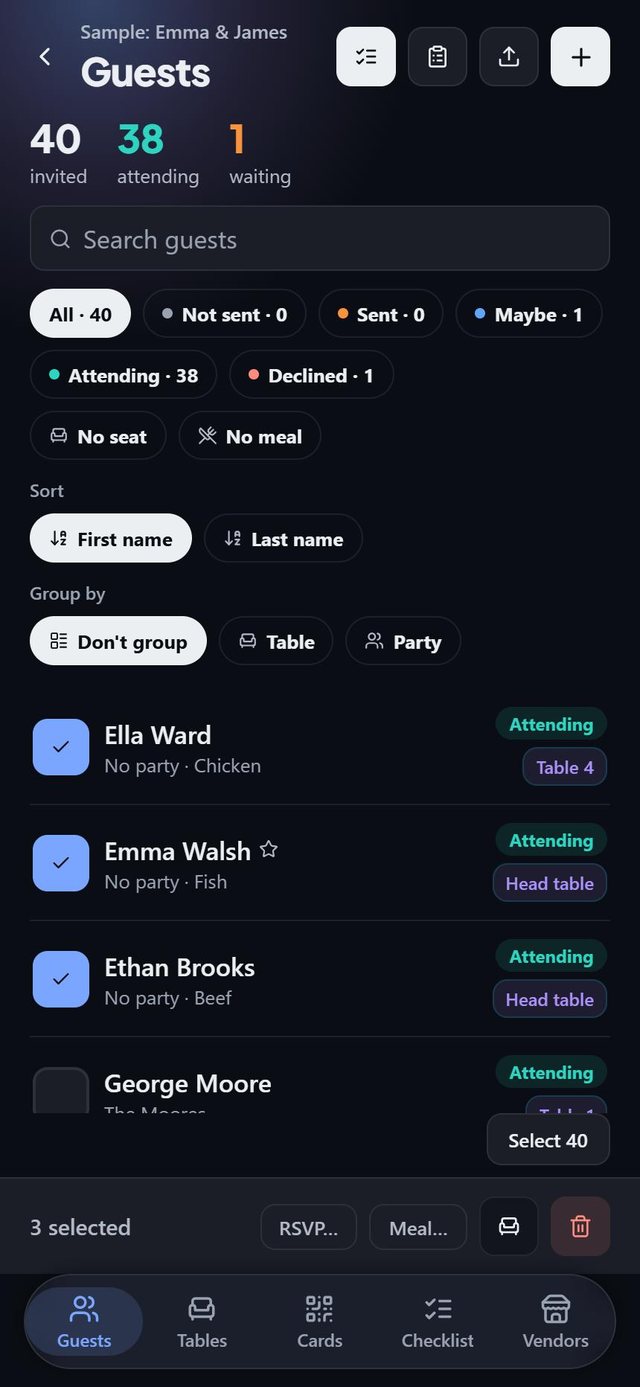
Select guests, then set an RSVP or a meal, seat them together, or remove them.
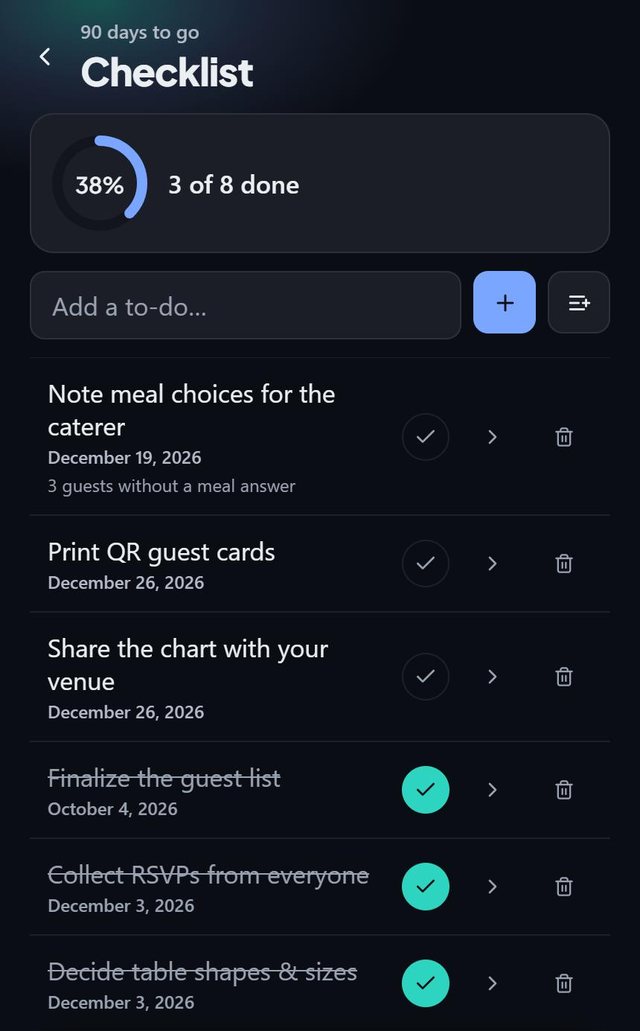
Tasks with deadlines and a progress ring.
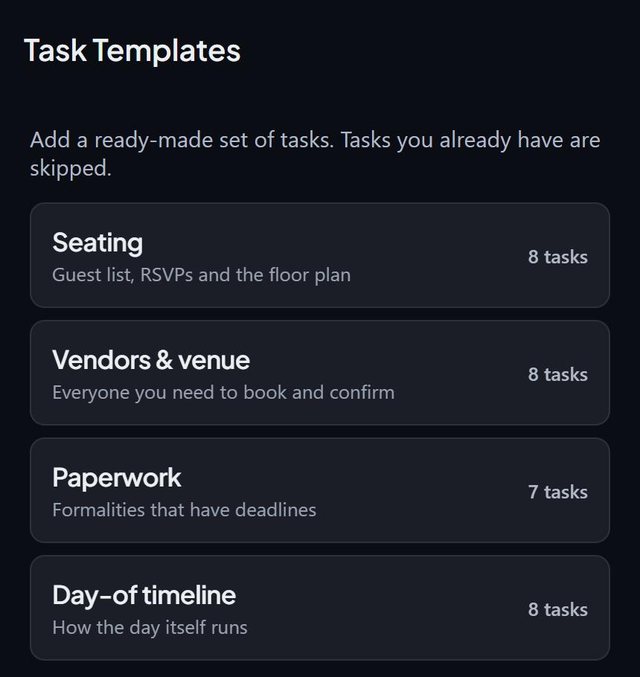
Seating, vendors and venue, paperwork and the day-of timeline. Tasks you already have are skipped.
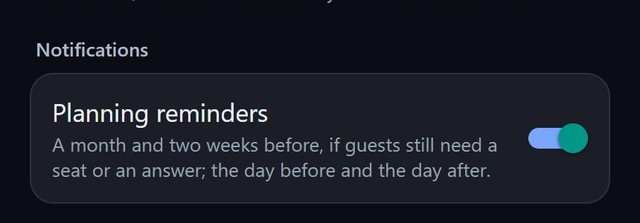
A month and two weeks before if guests still need a seat or an answer, plus the day before and the day after.
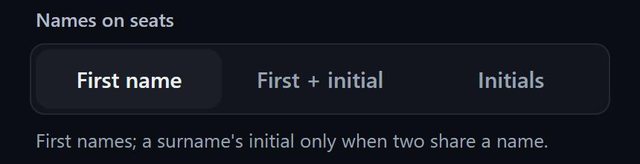
First name, first name plus initial, or initials.
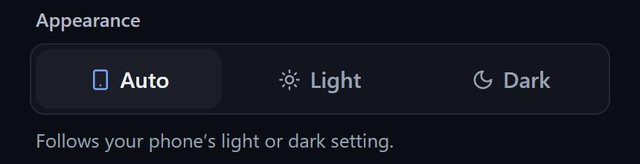
Follows your phone's setting, or stays as you choose.
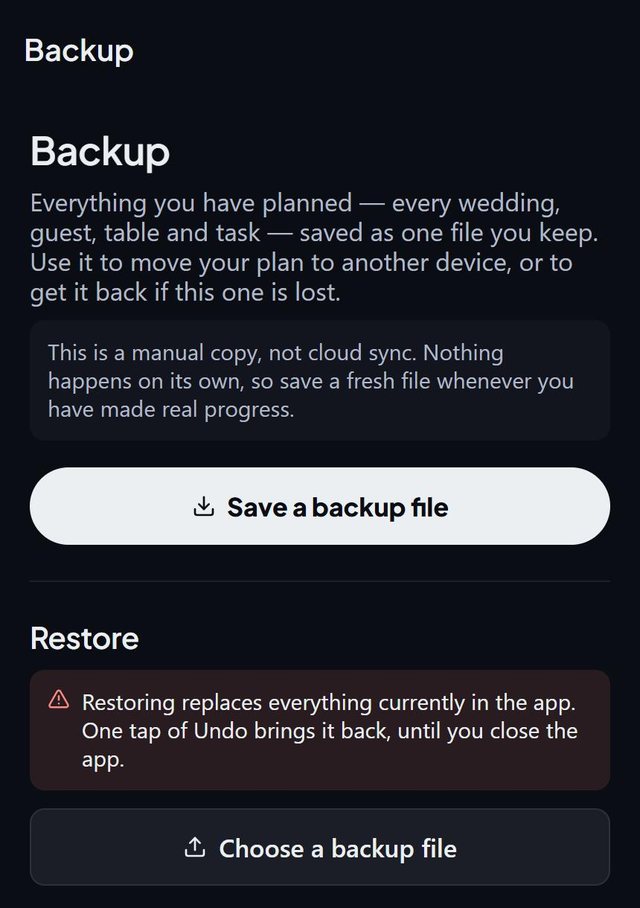
Everything you planned in a single file you keep, to move to a new phone or to get back after a loss.
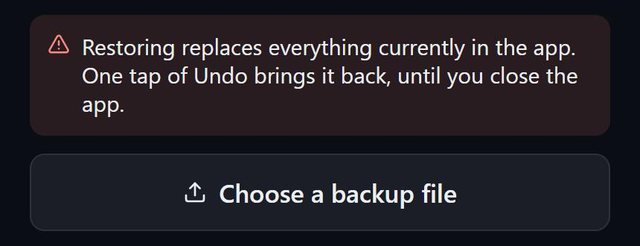
Restoring replaces what is in the app. One tap of Undo brings it back until you close the app.
No account. Your guest list stays on your phone. Works offline, so you can plan in the venue with no signal.
Plan the whole room for nothing. When it is time to print, pick a one-time event pass, or go Pro if you plan for clients or several events.
$0
To plan one small event
$19.99once, for one event
No subscription
$59.99a year, or $9.99 a month
For clients or several events
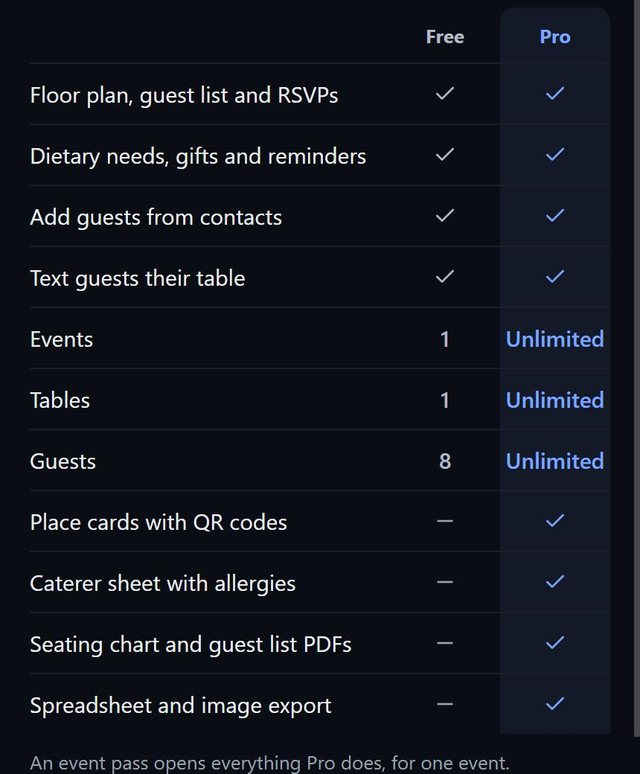
| Feature | Free | Pro |
|---|---|---|
| Floor plan, guest list and RSVPs | ||
| Dietary needs, gifts and reminders | ||
| Add guests from contacts | ||
| Text guests their table | ||
| Events | 1 | Unlimited |
| Tables | 1 | Unlimited |
| Guests | 8 | Unlimited |
| Place cards with QR codes | ||
| Caterer sheet with allergies | ||
| Seating chart and guest list PDFs | ||
| Spreadsheet and image export |
An event pass opens everything Pro does, for one event.
Prices in US dollars, as shown in the app. SeatSpot is launching soon in the US.
51 answers about how SeatSpot works, what it costs and what happens to your data. Search, jump to a topic, or just read on.
No. SeatSpot works from the first launch without any sign-up.
Yes. "Just looking? See a sample event" opens a finished wedding with forty guests, five tables, a dance floor, meal choices, dietary needs and a started checklist, so every screen has something on it. The sample does not count against the free plan, and exports are switched off in it.
Weddings, birthdays, children's birthdays, baby showers, bachelor and bachelorette parties, company events, official receptions, wakes, and "other" for anything else. The type changes the wording, the checklist you are offered, which areas come first on the floor plan, and how Smart fill seats people.
No. Both are optional, and you can plan seating for an event with no date fixed yet.
Yes. The free plan holds one event; Pro has no limit. Duplicating an event counts as creating a new one.
The app is in English for now, with sizes in feet or metres.
One at a time, by pasting a list, from your contacts, by importing a spreadsheet, or as a headcount with no names yet. On an iPhone you can also scan a paper list with the camera.
One entry per line, with bullets and numbering ignored. "Anna & Tom Kowalski" becomes two guests in the Kowalski family, "John Smith +1" adds a plus-one to name later, "The Garcia family (4)" holds four seats, and titles such as Dr. and Mrs. are dropped. You see how each line was read before anything is added.
Yes. Copy the rows including the header, paste them in, check how the columns were matched, and import. Commas, tabs and semicolons are all understood, and a full name in a single column is split for you.
No, an import loads a whole guest list, so it replaces the one you have. Before it happens you are told what would be lost, in real numbers, and Undo is available straight afterwards. The app also saves a restore point first.
Yes. Add a headcount to create numbered seats, or mark a guest as "details not known yet". Placeholders take up a seat like anyone else, and you swap in real names later.
A plus-one is linked to their host, so removing the host removes the plus-one too. Guests in the same party stay together when you seat them, and you can group the list by party.
Each guest is Not sent, Sent, Maybe, Attending or Declined. The guest report shows a ring with every status, and the list can be filtered by any of them.
Their seat is freed, their plus-one goes with them, and they disappear from anyone's do-not-seat-with list. Tasks linked to them stay and simply stop being linked. All of it is one undo away.
Yes. Select guests, then set their RSVP or meal, seat them together, or remove them.
Drag a guest onto a chair, pick a table from the guest's own screen, swipe a name in the list to seat them, or let Smart fill do the rest.
It seats every guest who is attending and still without a chair. At weddings and similar events it keeps groups together, and at company events it spreads them across tables. It avoids tables that would break a do-not-seat-with where it can, keeps accessible guests and guests with infants near the entrance, and speakers near the stage, where you have drawn those areas. Afterwards it tells you what it had to give up, and one tap undoes it.
Yes. Mark a do-not-seat-with pair and the app flags it the moment they share a table. Smart fill avoids tables that would break one, and if there is no other table with room it seats them anyway and tells you.
Yes. Set the size of the room in feet or metres, start from a template (banquet with a head table, long tables, cocktail or conference), and use round, rectangle, square, oval and U-shaped tables or single chairs. Add areas such as a dance floor, bar, stage or entrance, and pick a colour for the floor.
A list of what is wrong and what is simply unfinished. Contradictions, such as two guests who should be apart sharing a table, or fewer seats than guests, are kept apart from loose ends. Loose ends only turn urgent in the last 30 days before the date.
By default the plan shows first names, adding a surname initial only when two guests share a name. In Settings you can switch to first name plus initial, or initials only.
Yes. An undo bar appears after destructive actions. Before the bigger ones, such as importing a list, seating many guests at once or deleting an event, the app also saves a restore point, and the last three are kept.
You create meal questions for your menu, such as a main course, dessert or a kids' menu. Each question becomes its own section on the guest form and its own count for the caterer, and you can answer for one guest or for many at once.
Yes. Every guest can carry vegetarian, vegan, gluten-free, dairy-free, nut allergy, shellfish allergy, halal, kosher or your own entry, and notes for details such as how severe an allergy is.
Meal counts, and a caterer sheet with meals and allergies table by table with seat numbers. The caterer sheet is part of Pro and the event pass.
Place cards, escort cards, a welcome board, table signs, seating by table, meal counts and the floor plan. Cards print on Letter pages, and the welcome board can also be a single 18 by 24 or 24 by 36 inch poster for a print shop.
Yes. Pick escort cards, which lie flat at the entrance, or fold-over place cards, in four styles (Modern, Classic, Minimal, Script) and six inks. The welcome board and table signs follow the same style and colour, so the whole set matches.
No. The name, table and seat are printed on every card in ink, so it works with no signal and no phone. The code is a convenience: scanning it opens a small page with the same name, table and seat, and a map of the room.
Only what is printed on that one card. Everything the page shows travels inside the scanned link, so nothing is uploaded and no account is involved, and a guest who scans someone else's card sees only that one person's seat.
A card printed before the change shows the old table, just like the printed table number does. Reprint that guest's card.
The PDFs that travel to the venue, the caterer and the family end with one small grey line. Nothing that stands on the tables is signed: place cards, table signs and the welcome board stay exactly as you designed them.
Yes. Spreadsheet and image export are part of Pro and the event pass.
One event, one table and eight guests, with the floor plan, guest list and RSVPs, dietary needs, gifts, reminders, contacts, texting guests their table, the checklist and backups. Place cards with QR codes, the caterer sheet, PDFs and spreadsheet or image export need Pro or an event pass.
The limit only stops you adding beyond it. Everything you already have stays: you can still see, edit, reseat and delete it. You are also told before you do the work, not after.
A one-time $19.99 purchase that opens everything Pro does for one event, with no subscription. It suits a couple planning one wedding.
$9.99 a month or $59.99 a year, which is half the price of twelve months. It opens every event while it lasts, and renews automatically until you cancel it in your Apple ID settings.
A Pro subscription comes back with Restore purchases. An event pass lives inside the event itself, so it moves with a backup file of that event.
No. A pass is for one event, so a copy is a new, ordinary event.
On your phone only. There is no account and no cloud copy, which also means nobody, including us, can recover it for you. That is what the backup file is for.
Two things only, and neither carries your plan. An optional vendor lookup sends a US ZIP code and a category, and purchases go through RevenueCat with an anonymous ID. There is no telemetry, sync or crash reporting, and guests, names, meals and seating are never sent.
Yes. You can plan in a venue with no signal. Only the optional vendor lookup and purchases need a connection.
Only names and phone numbers, and only for the people you tick. They stay on your phone.
Save a backup file, which holds all your events, and restore it on the new phone. Restoring replaces everything in the app, and you can undo it straight afterwards. Keep the file somewhere other than the phone.
Tap the red banner and save a backup file. Your plan is still in the app until you close it, and the banner disappears as soon as a save succeeds.
iPhone and Android phones, and iPad as well. SeatSpot is launching soon in the US.
On an iPhone, tap and hold the paste box, choose Scan Text and point the camera at the list. A handwritten one works too.
Yes, on iPhone: a countdown with the days to your next event, its name and how many guests are seated.
Yes. Settings lets you follow your phone's light or dark setting, or choose one.
It runs full screen in portrait. Lists and forms stay in a comfortable centred column, and the floor plan uses the whole width.
Write to hello@vows.link and we will reply.
The same address. Write hello@vows.link and say which screen you were on.
Nothing matches that yet. Try another word, or write to hello@vows.link.